
Little Green Light is a cloud-based donor management system for fundraisers.
Subscribe to get our latest product updates, best practices and tips to grow your nonprofit.
As 2026 gets rolling, we wanted to take a look back and share the main feature updates that our developers made to Little Green Light in 2025. Click any item below to link to more details.
New email builder is in Beta and available to all users
We launched a significant update to the email builder feature in LGL, which greatly enhances the design options for email. It is now much easier to add elements to your emails, including images and buttons. You can also better manage the recipients in your emails. And, perhaps most important, you can now schedule an email to deliver up to 30 days in the future.
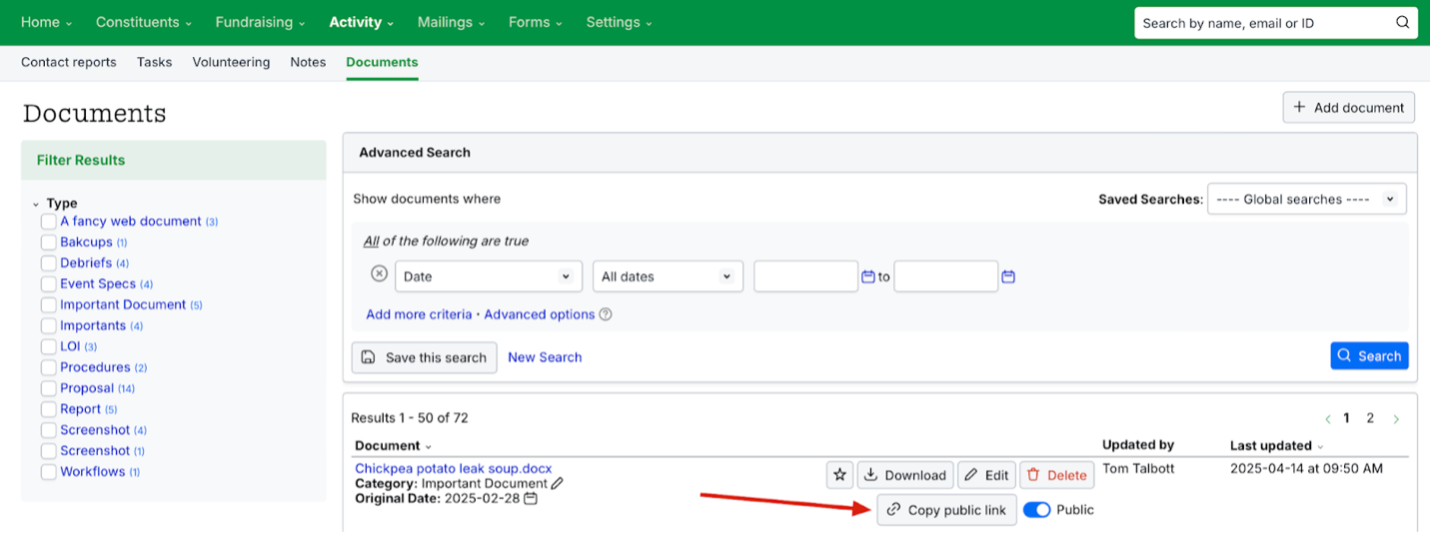
Making a document file a public link for uploaded documents now possible
It is now possible for organizations to make a document file publicly accessible via a public link, to allow the sending of “attachments” (in a manner of speaking) to emails that can be opened by the recipient. Access can also be granted and removed.
Account-level options for logins to add/enhance security now available
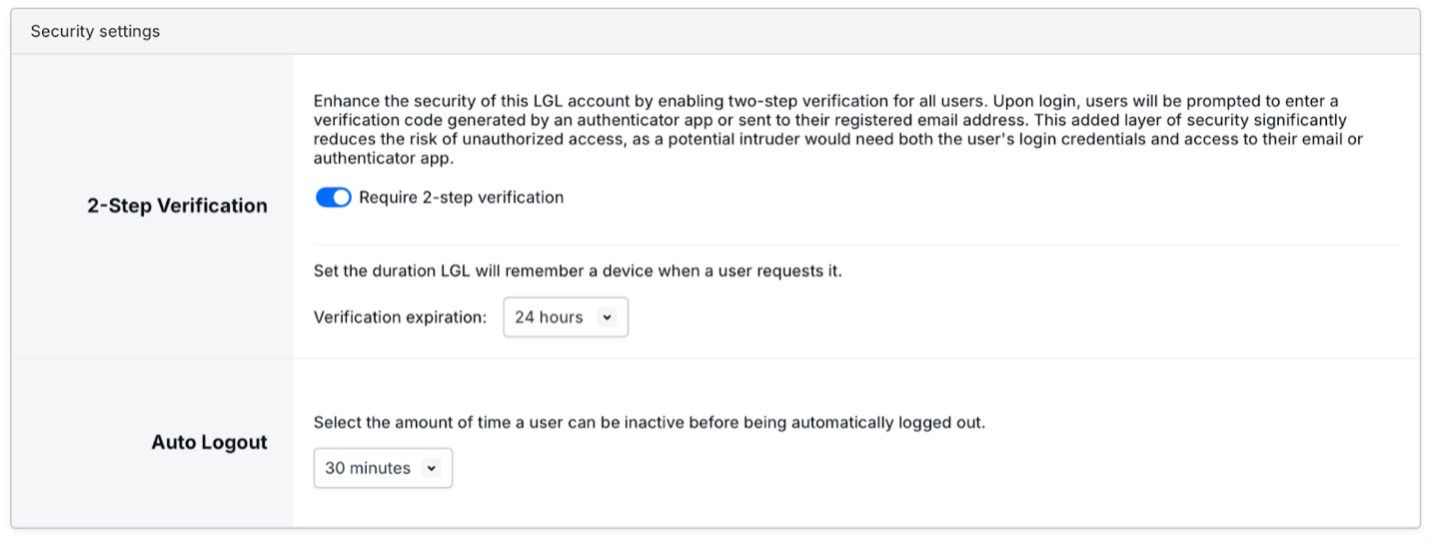
We have added new security options and enhanced existing security options as follows:
1. Additional options for 2-step verification (also known as 2 factor authentication, or 2fa). The original 2-step verification used email. It is now possible to use an authenticator app and set up recovery codes.
2. The user profile now contains a section for users to set 2-step verification settings for their master user; 2-step verification can be also required by the account administrator (see item b below)
3. We added a new “Security settings” section in Account Settings to set up security options.
a. This “Security settings” section now offer an inactivity auto-logout setting. By default, it is off. Auto logout options are 15 minutes, 30 minutes, 45 minutes, 1 hour, and none.
b. We moved the 2-step verification setting into this section as well.
4. The “Security settings” section is always present on this page, whether the settings are turned on or off.
Read more about the new and updated security settings:
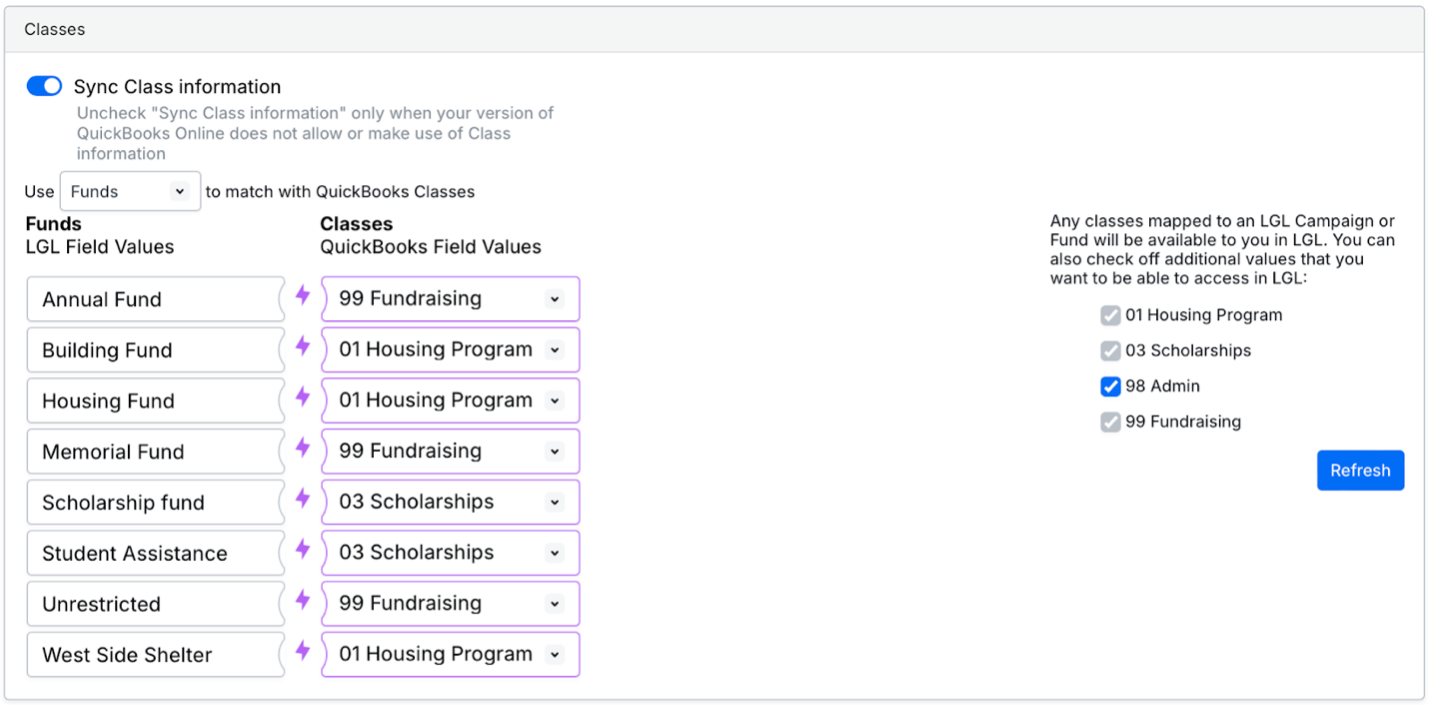
QBO: Improvements to QBO class mapping
We have improved how the Little Green Light–QBO integration handles QBO classes by adding these features and bug fixes:
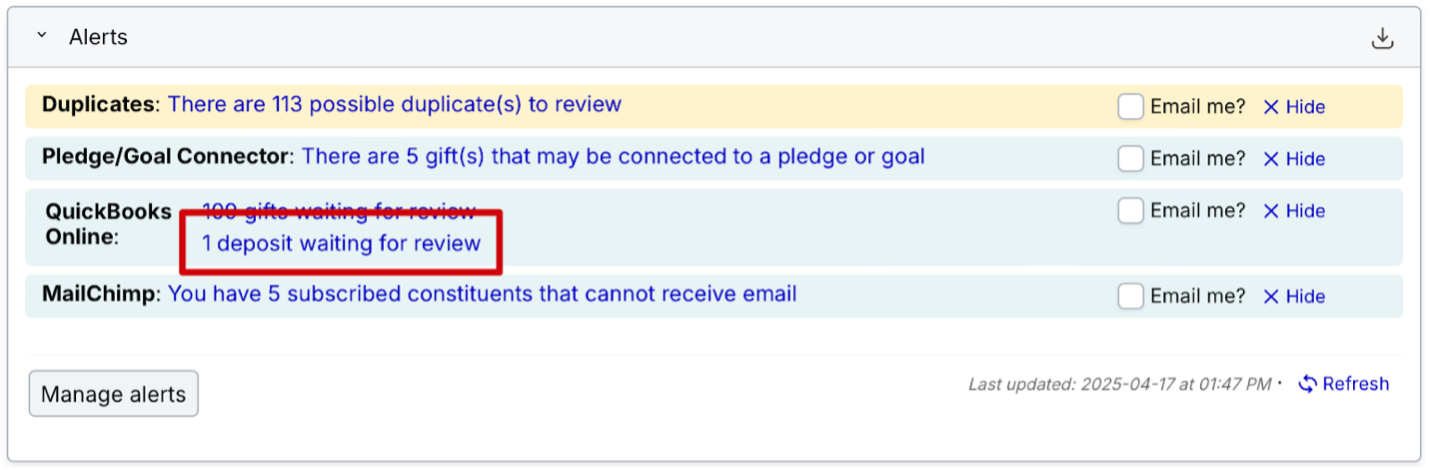
Stripe/QBO: Deposits line item now available in the dashboard Alerts widget
For accounts using the deposits-based QuickBooks Online integration feature, we have added a line in the Alerts area to list deposits that are waiting for review or ready to sync.
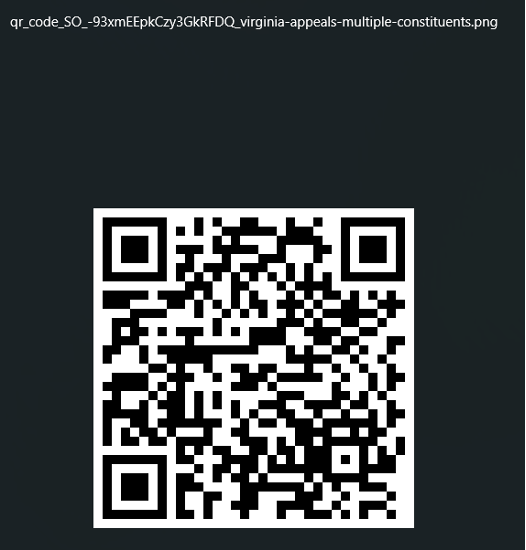
QR codes now display the filename
The form name has been added to the name of the file downloaded to enable tracking.
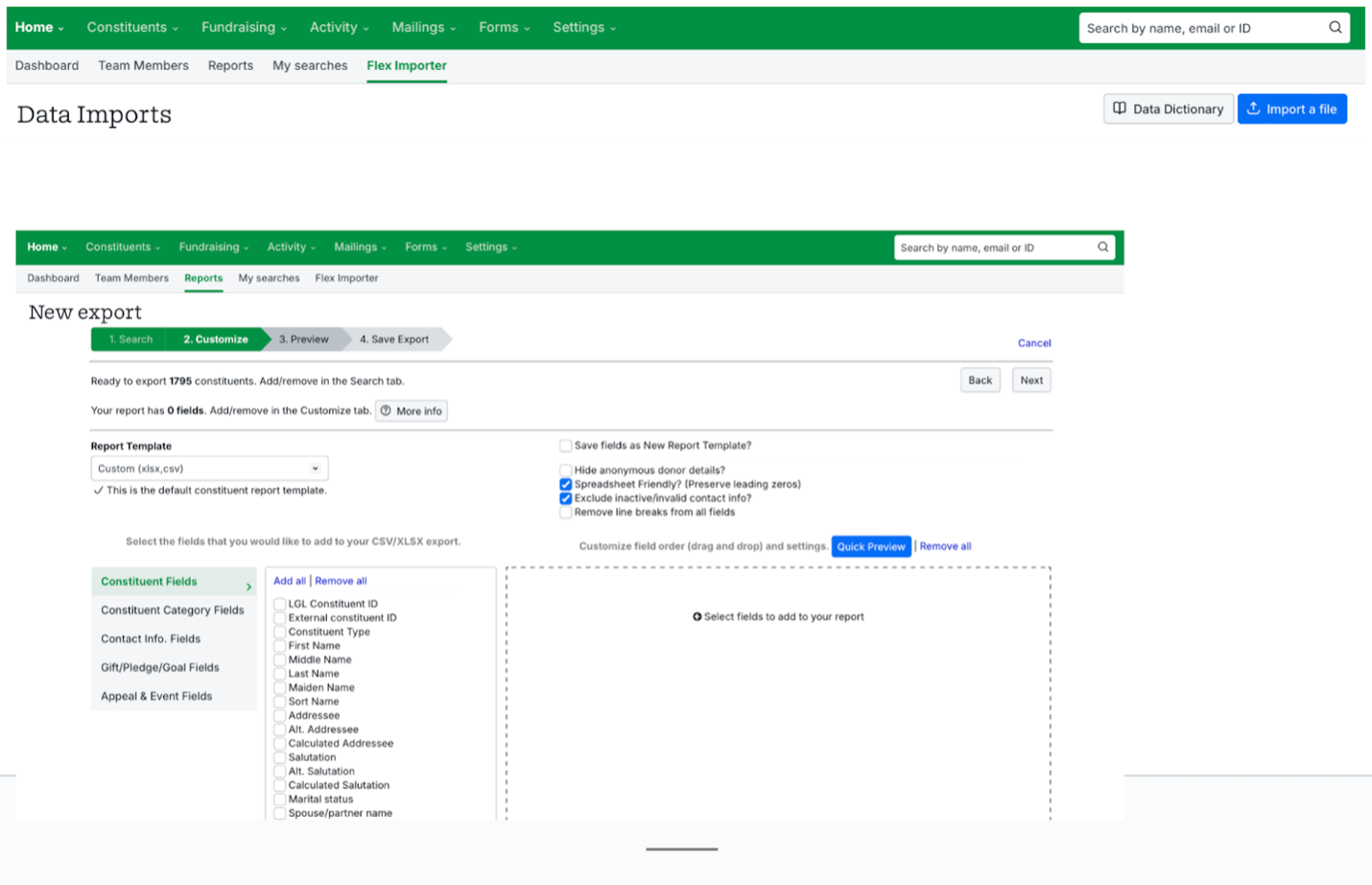
Flex Importer field names now automatically reconciled with export field names
New data fields are created and existing data fields are sometimes renamed over time as Little Green Light is continually updated. We have updated our Flex Importer to reflect these changes automatically, so mapping fields and reporting fields should be consistent with one another moving forward.
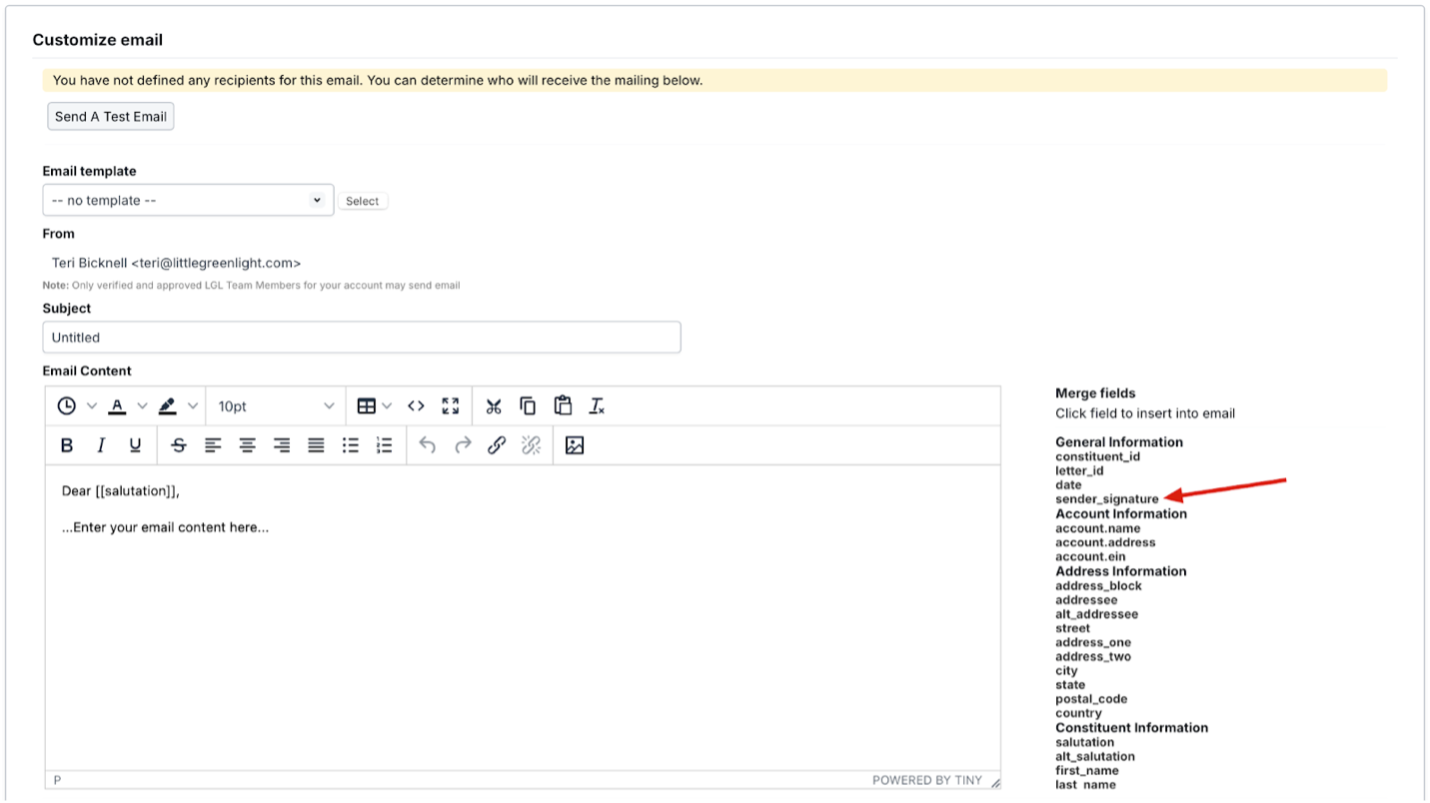
Sender signature merge field now included for email creation
It is now possible to add the [[sender_signature]] merge field from the list of merge fields that is available when crafting an email.
Password re-authentication now required to change email address in account
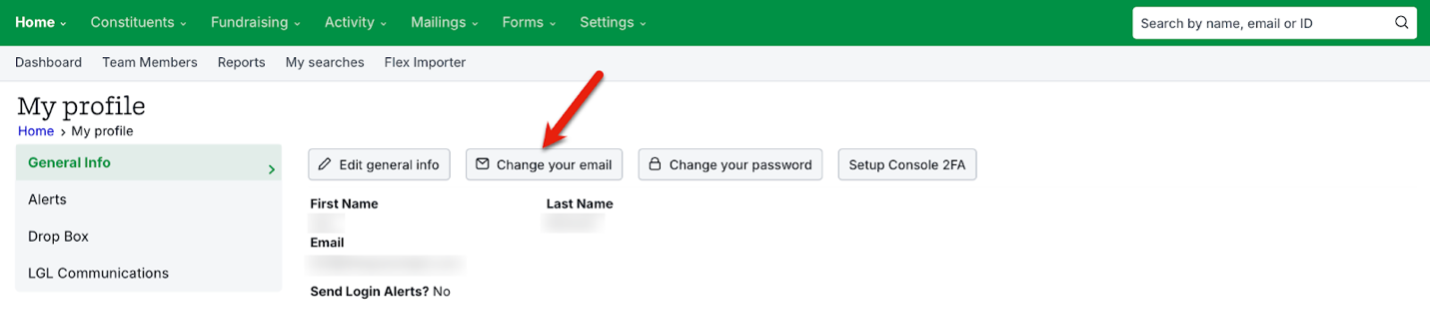
To decrease the opportunity of an account takeover, we have added an additional security layer for users changing their account email. When a user clicks the “Change your email” button in their user profile, the user is required to enter their password before being given the option to change the email address. If two-factor authentication is turned on, this will also be triggered.
Maximum of 5 password resets now allowed per day, per LGL user
As a security enhancement, we have implemented a 5-password-reset-per-day maximum. After 5 resets, a message is displayed to the user indicating the account has been locked and that the user needs to contact their account administrator or LGL Support. An additional lock feature to user accounts, controlled by the Administrator role, is also available.
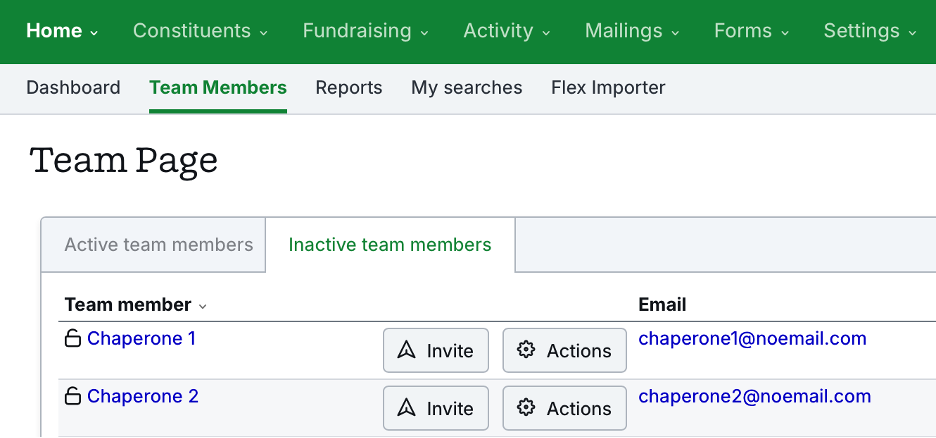
Better management of team assignments when staff leave
Users reported that it was difficult to manage steward assignments for deactivated staff if they did not remember to reassign stewards before deactivating the staff member. Any team members that have been deactivated are now prevented from being displayed as stewards in Little Green Light.
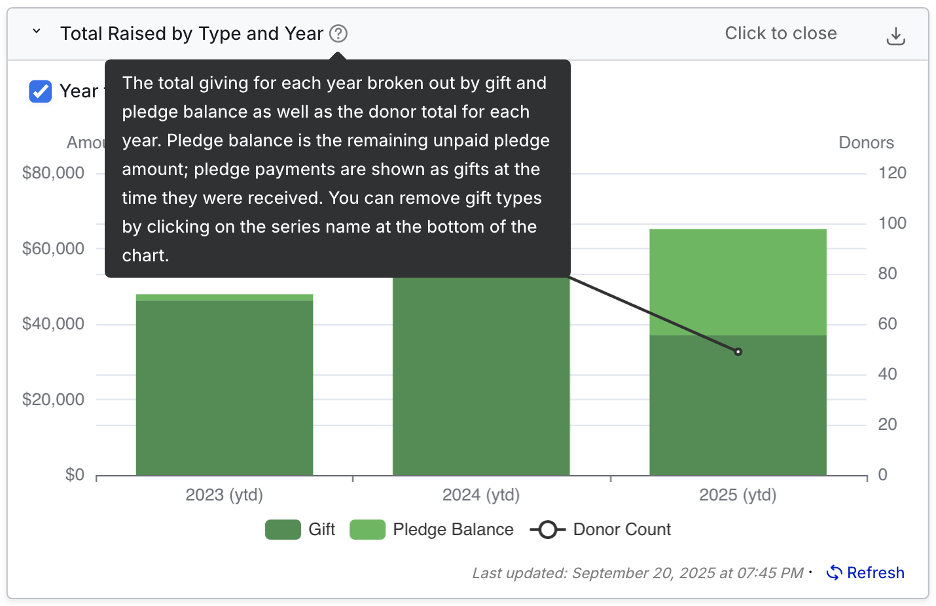
The tooltip definition of pledge balance in “Total Raised By Type and Year” dashboard widget now clearer
Some users found the tooltip explanation of what is included in the “Total Raised by Type and Year” widget confusing. The tooltip language has been updated with clarifying language.
Flex Importer field names now normalized with export field names
As we update our system over time, new data fields are created and existing ones are sometimes renamed. We have updated the Flex Importer field names to reflect these changes automatically, so import and export field names are consistent.
Improvements to slow QuickBooks Online integration page loads
When processing large numbers of deposits using our QBO integration, some users were experiencing long processing times. We have made updates to decrease the processing time.
File size allowance for uploaded documents doubled
We have increased the maximum allowed file size for images and documents uploaded into LGL from 10 MB to 20 MB.

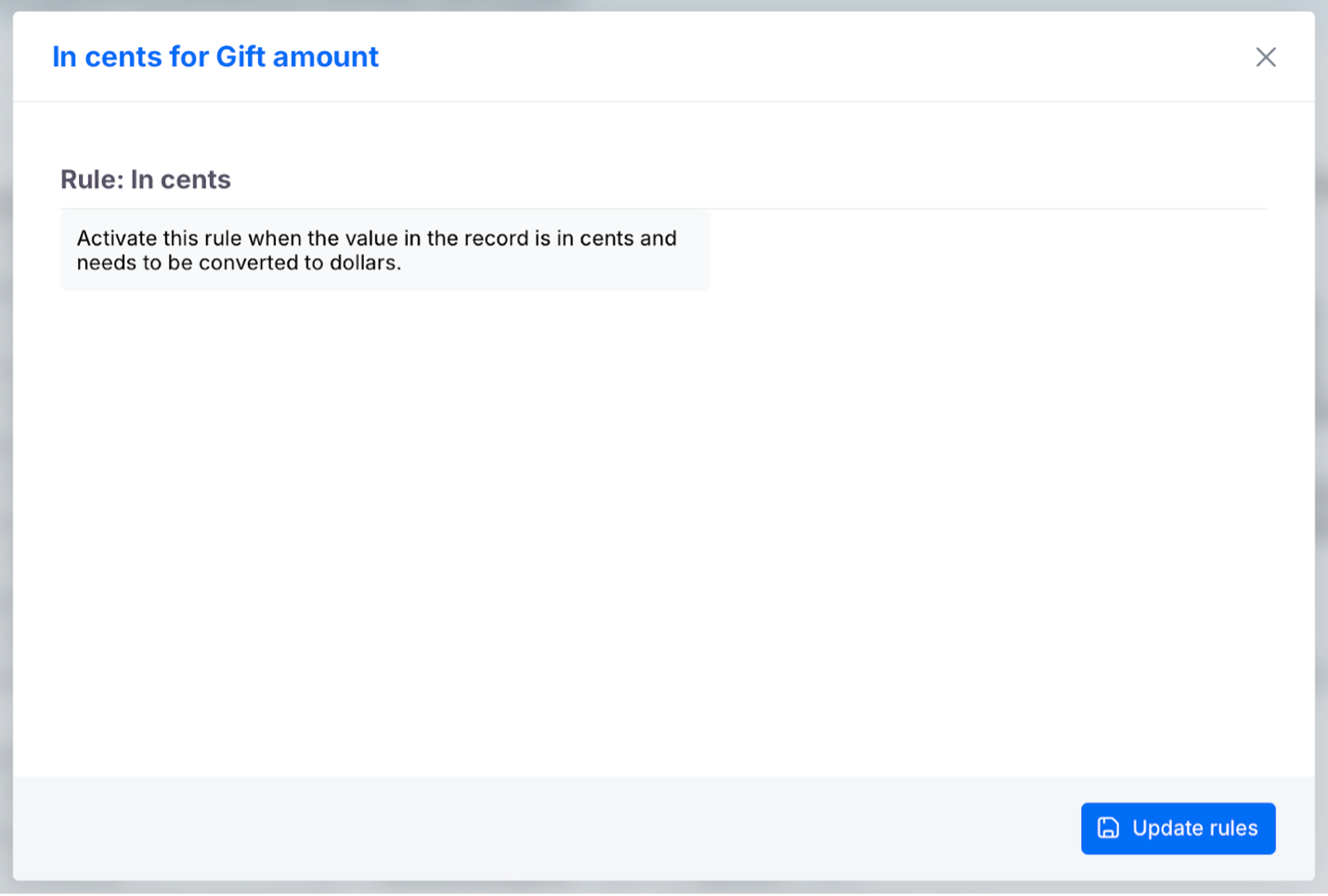
Selectable rule now available in mapping for imports of gift amounts that are presented in cents versus dollars
We have added a “divide by one hundred” rule for amount fields in the mapping section of the Flex Importer. Using this rule helps when your data is in the form of cents (e.g., 2000) instead of dollars (e.g., 20.00).
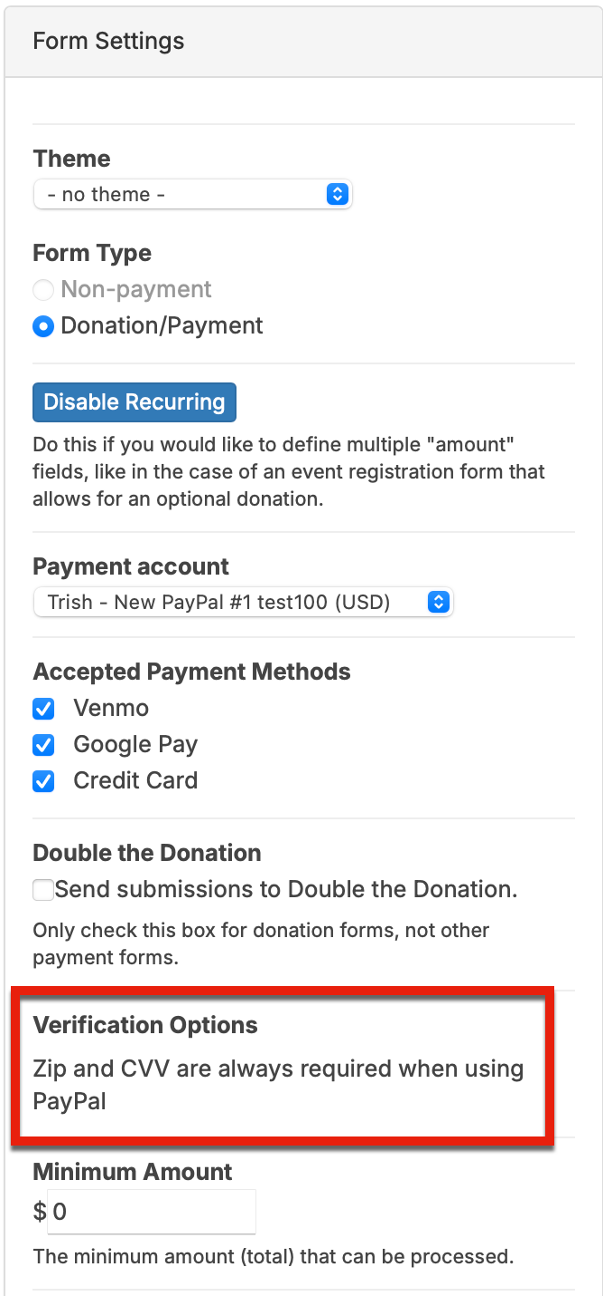
Forms: Zip code field now added to PayPal Complete Payments checkout
We have added a Zip code field to PayPal Complete Payments as an additional security layer.
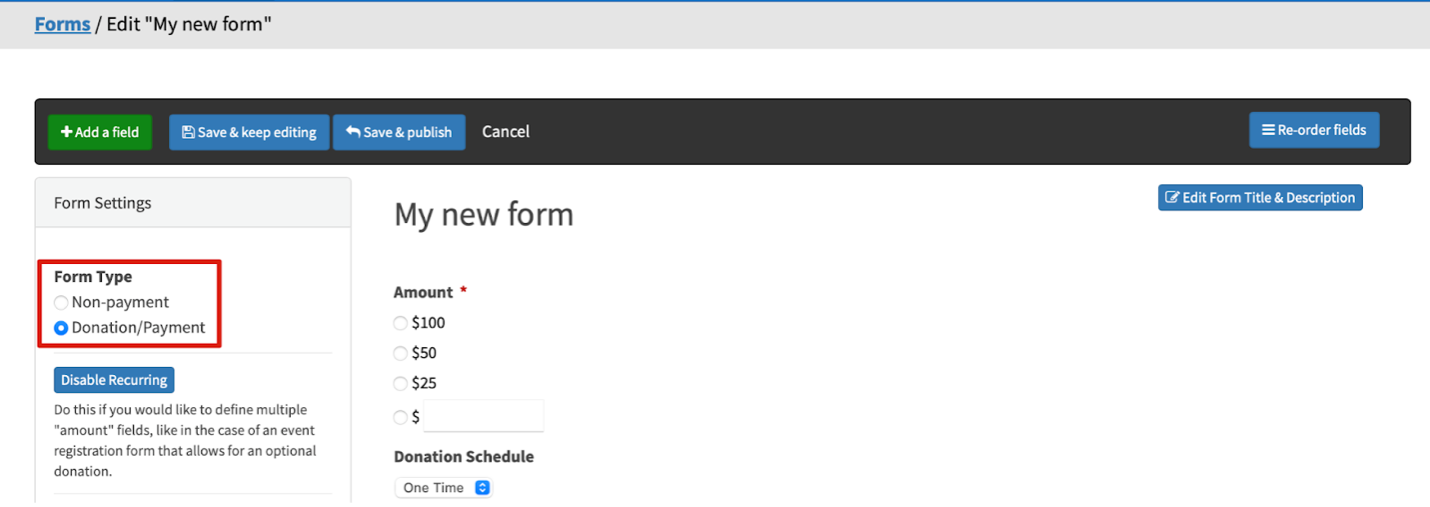
Forms: Form type cannot be changed from “Donation/Payment” to “Non-payment” after paid submissions have been processed through the form
To prevent issues with historical payment information and problems processing recurring payments, we have disabled the ability to change a form’s type from “Donation/Payment” to “Non-payment” after payment submissions have been processed for the form.
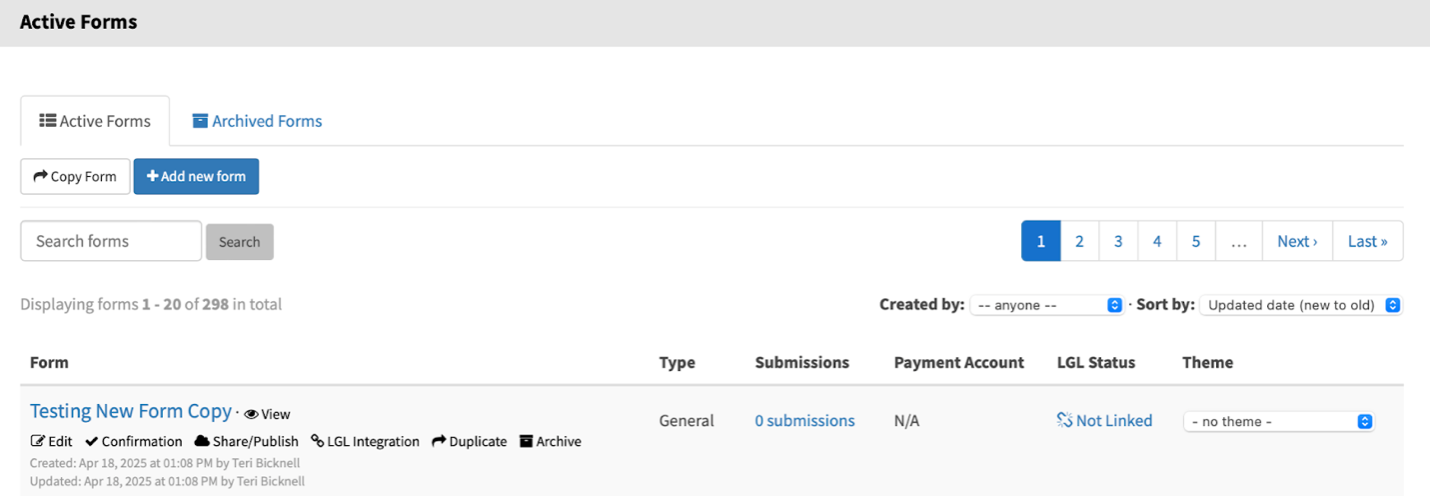
Forms: For forms that have been copied from another form, the form’s creator is updated to the user who performed the duplication
Previously in LGL Forms, copied forms retained settings from the original form for the user (creator) and time zone. This has been updated so copied forms now display the user who copied the form as the creator as well as use the creator’s time zone.
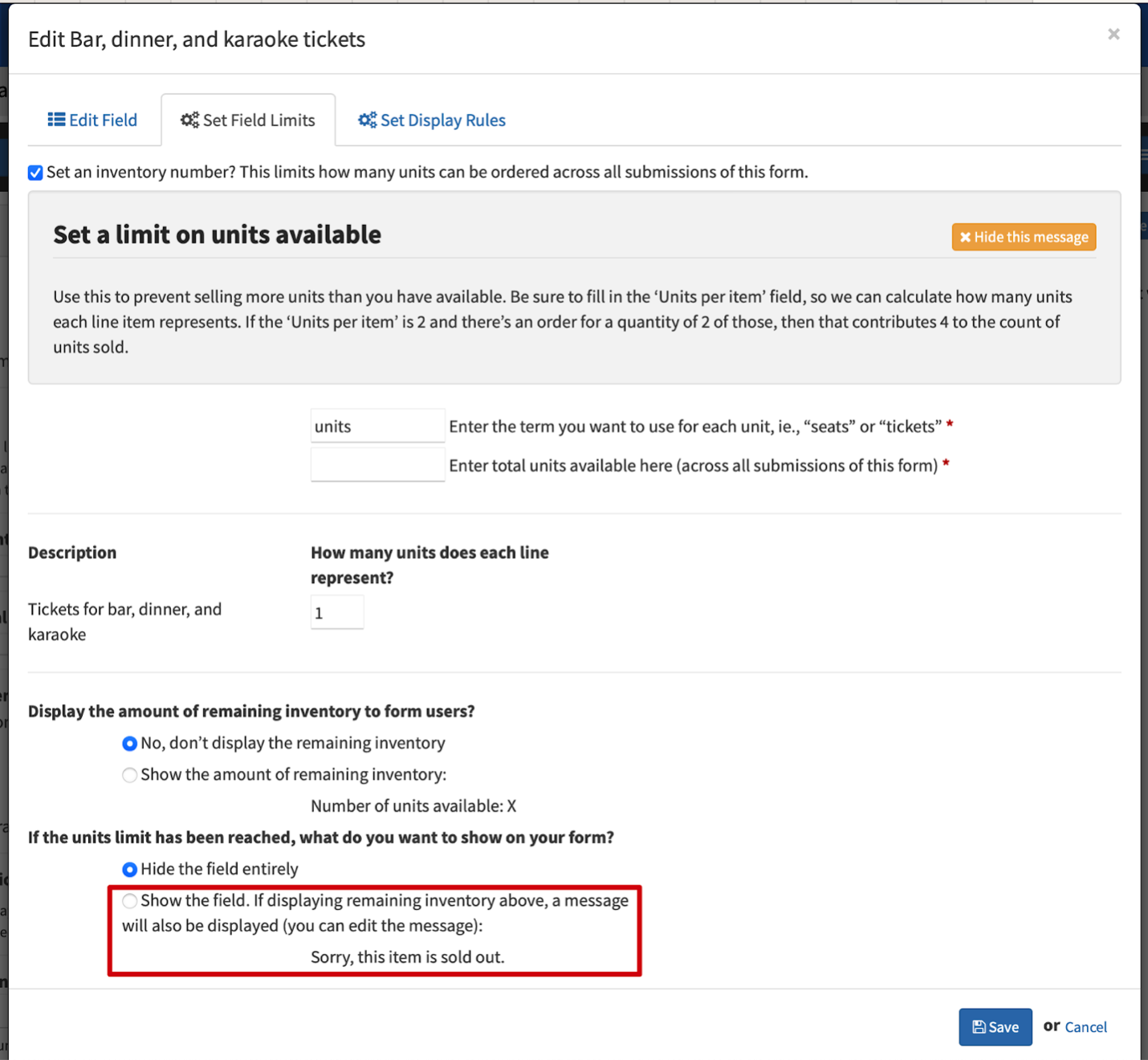
Forms: Clarify steps for enabling a ticket limit message to display in a form
Previously in LGL Forms, how you would set up your form to show a message when an inventory limit has been reached required that the inventory amount also be displayed. This was not apparent in the user interface, resulting in some confusion. The text in the UI has been clarified so the step to take to display the message is now clearer. The option text “Show a message (you can edit the message):” has been changed to “Show the field. If displaying remaining inventory above, a message will also be displayed (you can edit the message):”.
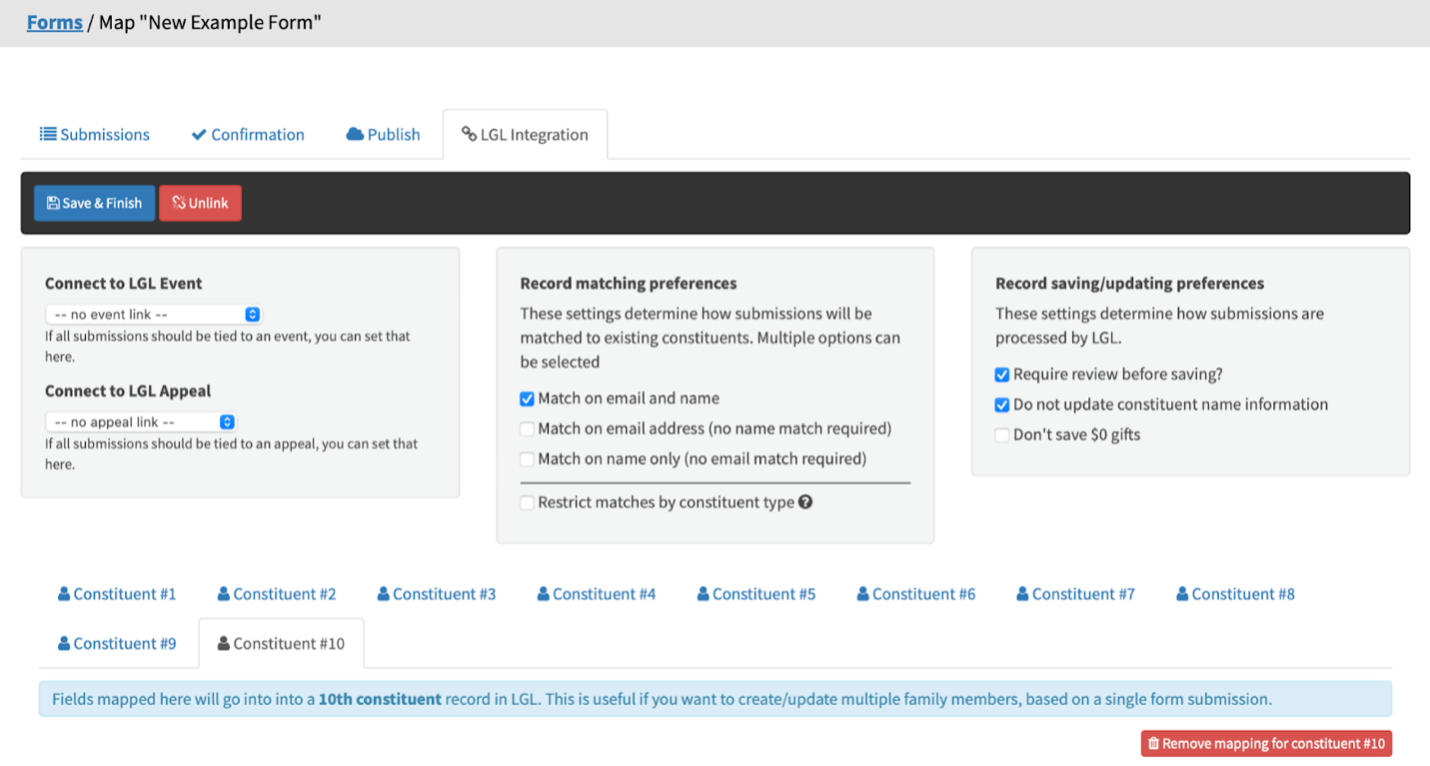
Forms: Limit the number of additional constituents that can be added to a form
To prevent confusion and mapping issues, the maximum number of additional constituents that can be mapped in any given form has been limited to 10.
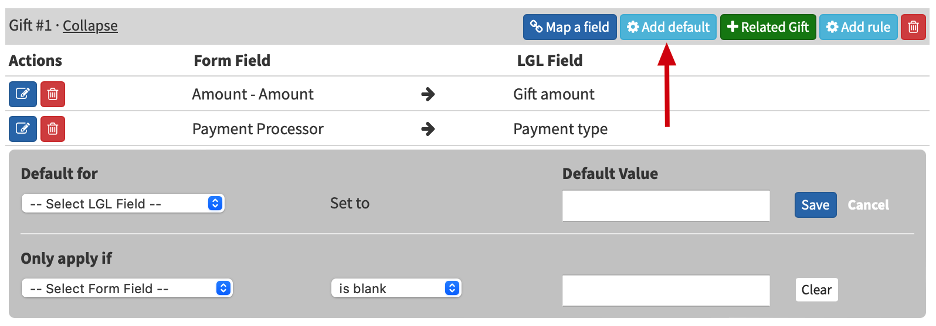
Forms: New ability to set a default when only one option is available to assign
The default function in LGL Forms has been updated to allow a value to be set as a default even when there is only one option available to assign.
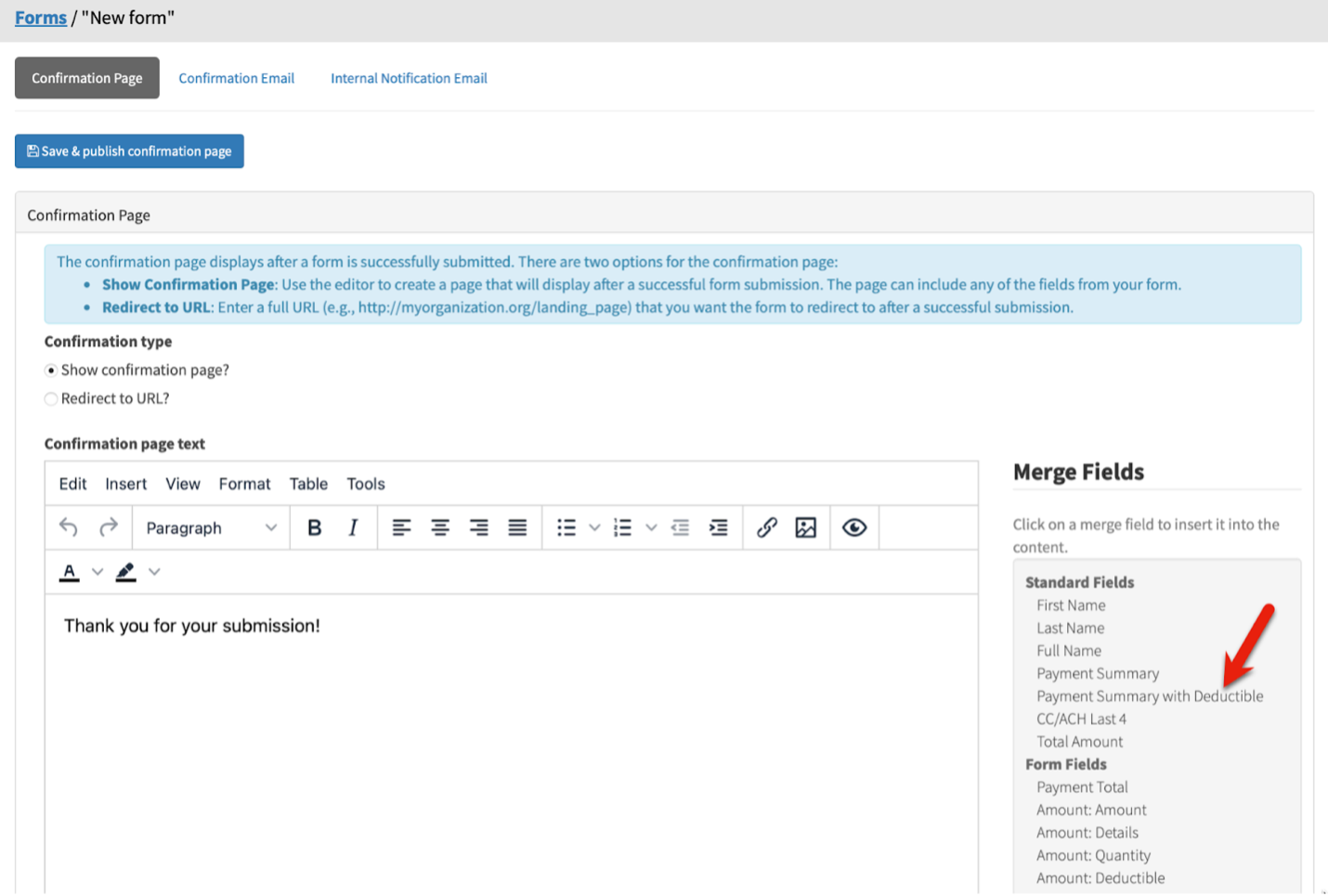
Forms: Deductible amount now included in payment_summary field
A new merge field in LGL Forms confirmations, [[ payment_summary_with_deductible ]], includes a deductible column. This allows customers to continue to use the existing payment_summary that does not include the deductible information, and customers who want to include the deductible amount can use the new merge field.
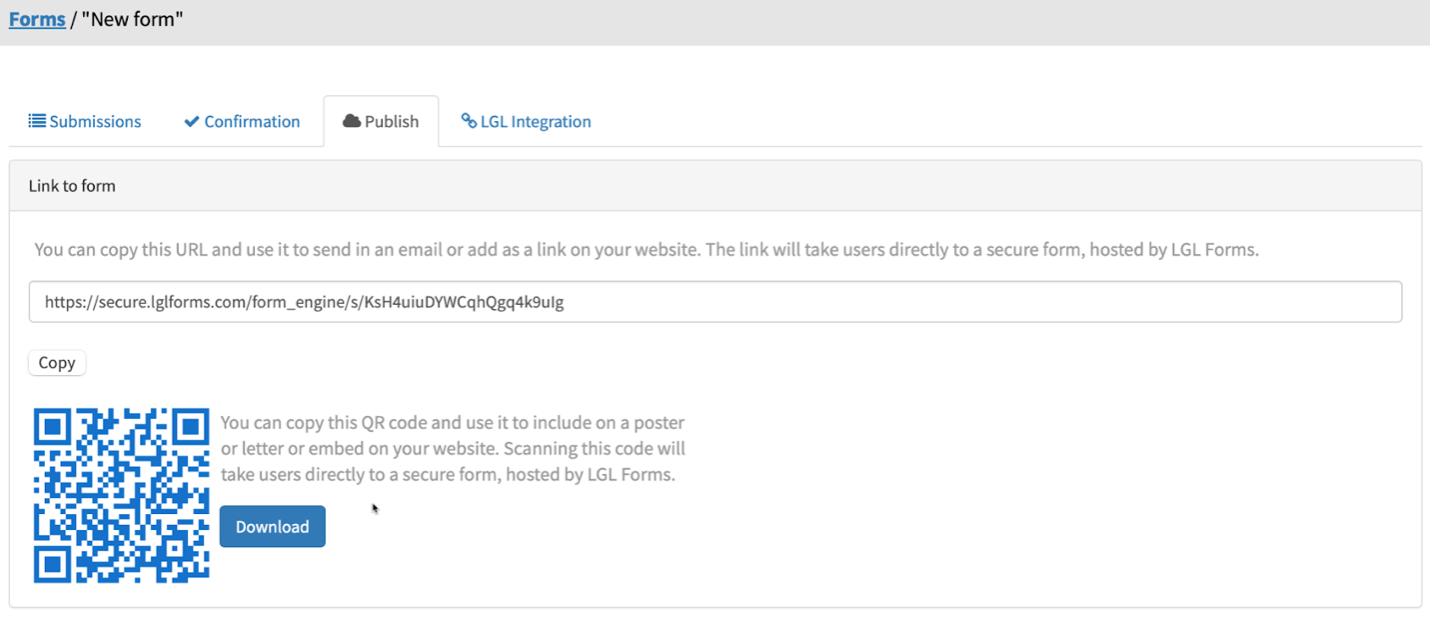
Forms: QR codes now include the form name when downloading the file
We have added the form name to the name of the QR file you can download from your LGL Forms area. If you use QR codes for multiple forms, this helps you keep track of which is which.
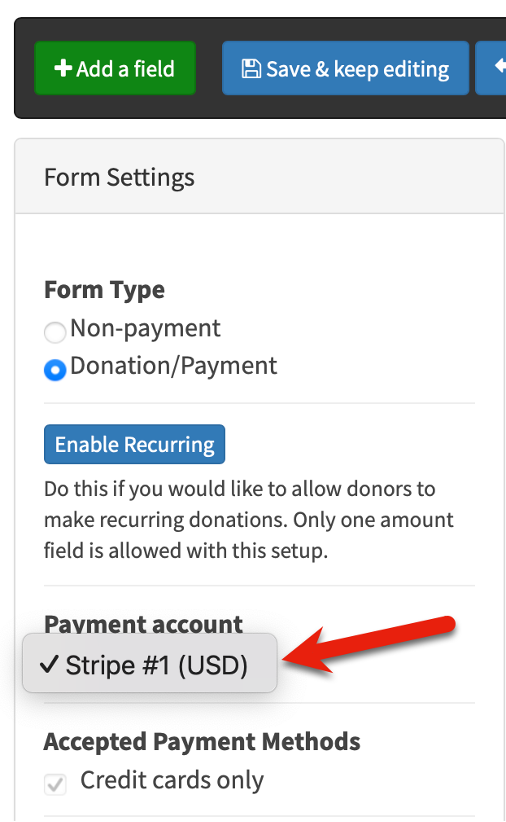
Forms: Payment account selector now displayed even when only one payment processor is in use
When an LGL Forms account had only one payment processor enabled, the payment processor was previously not displayed in the form’s Edit page. We have updated the Edit page so the payment processor for that form is always displayed regardless of how many payment accounts are in use for the form.
Forms: Display details causing error when volunteering data is missing
In Forms, we have added an error message to indicate what is missing when a user attempts to sync a form submission that is lacking the volunteer data required to create a record.

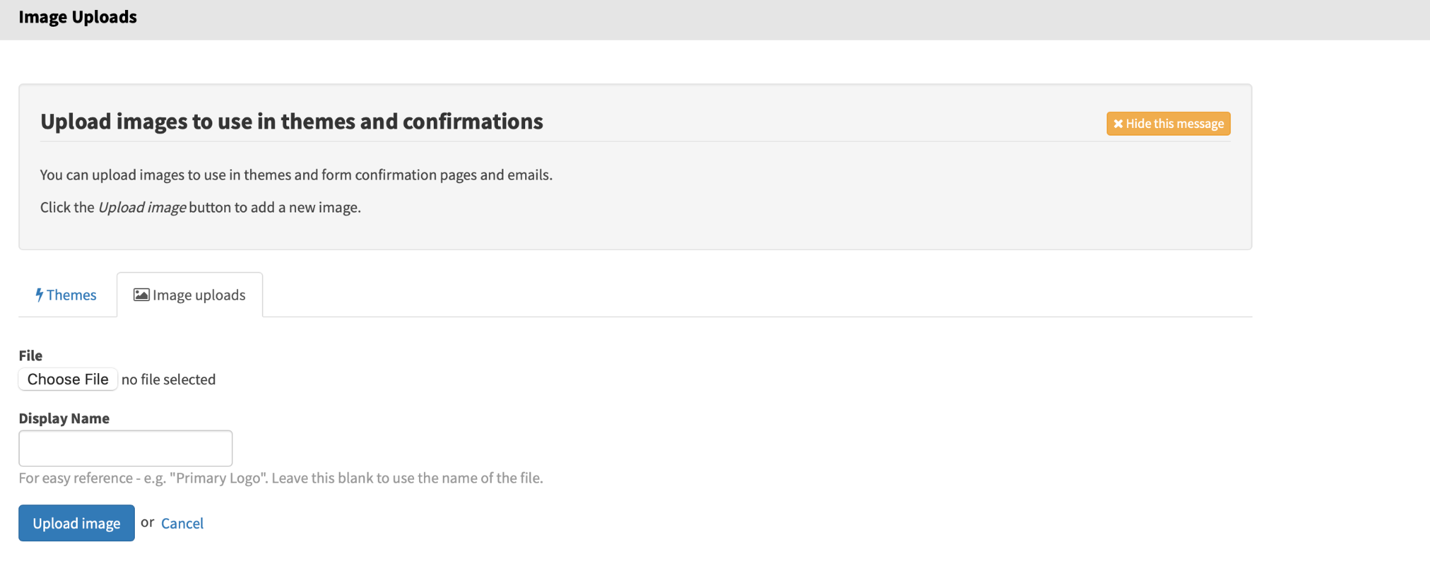
Forms: JPEG now an allowed file type for image upload
It is now possible to upload a JPEG file as an image in LGL Forms. And as mentioned earlier, the allowable file size has increased here from 10 MB to 20 MB.
Forms: User interface now indicates Venmo is not available unless you have enabled PayPal
We have added text to clarify that in an LGL form the Venmo button can be displayed only if PayPal is enabled.
Forms: Ability for number fields to accept commas
We have updated LGL Forms fields to accept commas without causing an error, though the comma is then automatically stripped as the value is passed through.
The following release notes are relevant to software development only.
Support for JSON webhooks (versus only key-value pairs) now available
It is now possible to integrate with software services using JSON-based webhooks. In other words, the webhooks endpoint available in LGL can now handle JSON data. This feature is currently in beta. If you’re interested in using it, please send a request to LGL Support.
API: Adding Notes via the API
It’s now possible to add Notes to constituent profiles using the API. API developers can create and update Notes in the same way as they do Contact Reports (without the search entry point). Note types are also available.
API previously ignoring constituent record status of Active versus Inactive (deleted)
In rare instances, users attempting to add a gift to an inactive (AKA deleted) constituent record using the API did not experience an error. The attempt appeared to be successful, but the gift was not added. This has been fixed so the API now rejects any attempt to create a gift for a constituent record that is inactive (because it has been merged or deleted).
API: Documentation clarifies that API queries do not treat “;” (semicolon) separators as ANDs
We have added API documentation clarifying that parameter values must be URL-encoded.
API: Documentation clarifies API response to the presence of empty fields
We have updated our API documentation around null values to clarify what users can expect to be returned in those cases.
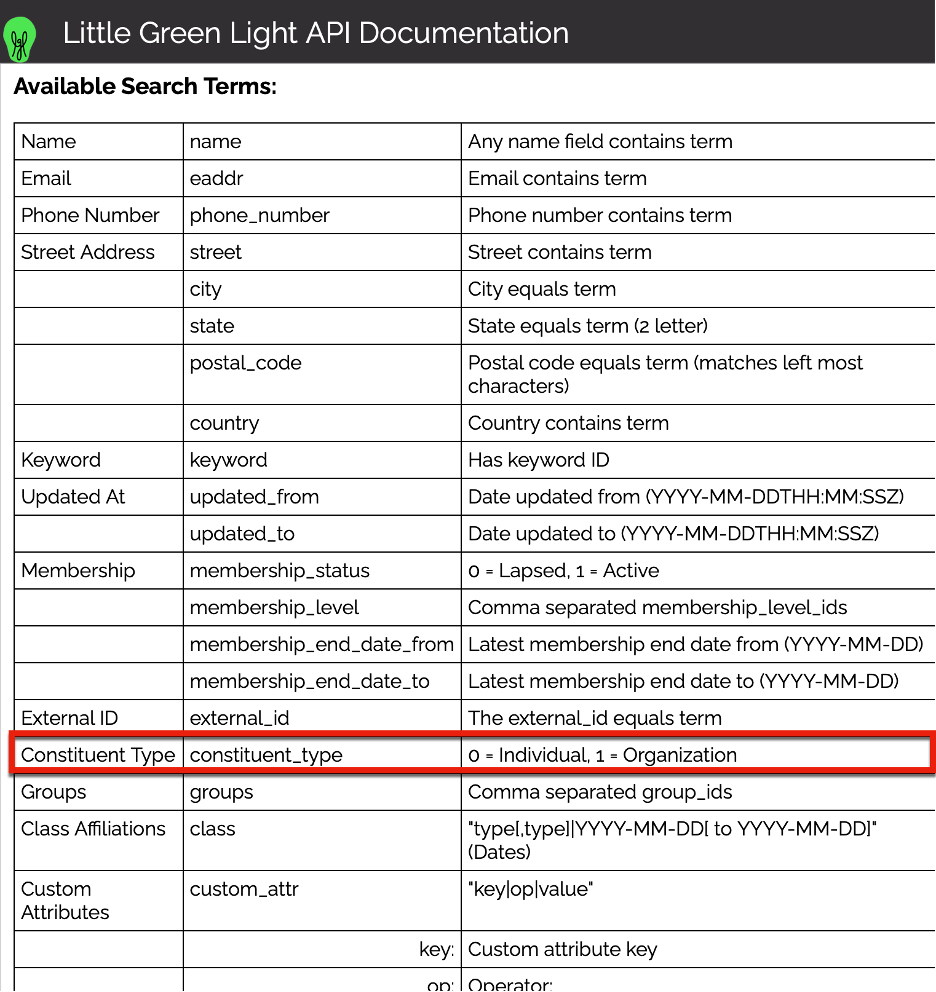
“constituent_type” now added to expand gift search in API
We have added “Constituent Type” to the API and expanded the search ability so it is now possible to use that field.

Ready to try LGL? Get your first 30 days free. No credit card required.
