
Little Green Light is a cloud-based donor management system for fundraisers.
Subscribe to get our latest product updates, best practices and tips to grow your nonprofit.
You can automate the collection of data for your nonprofit organization in a multitude of ways using LGL Forms. In this post, we offer 10 ideas on how you can put LGL Forms to work collecting data online and syncing it to your LGL database, saving you time in the process.
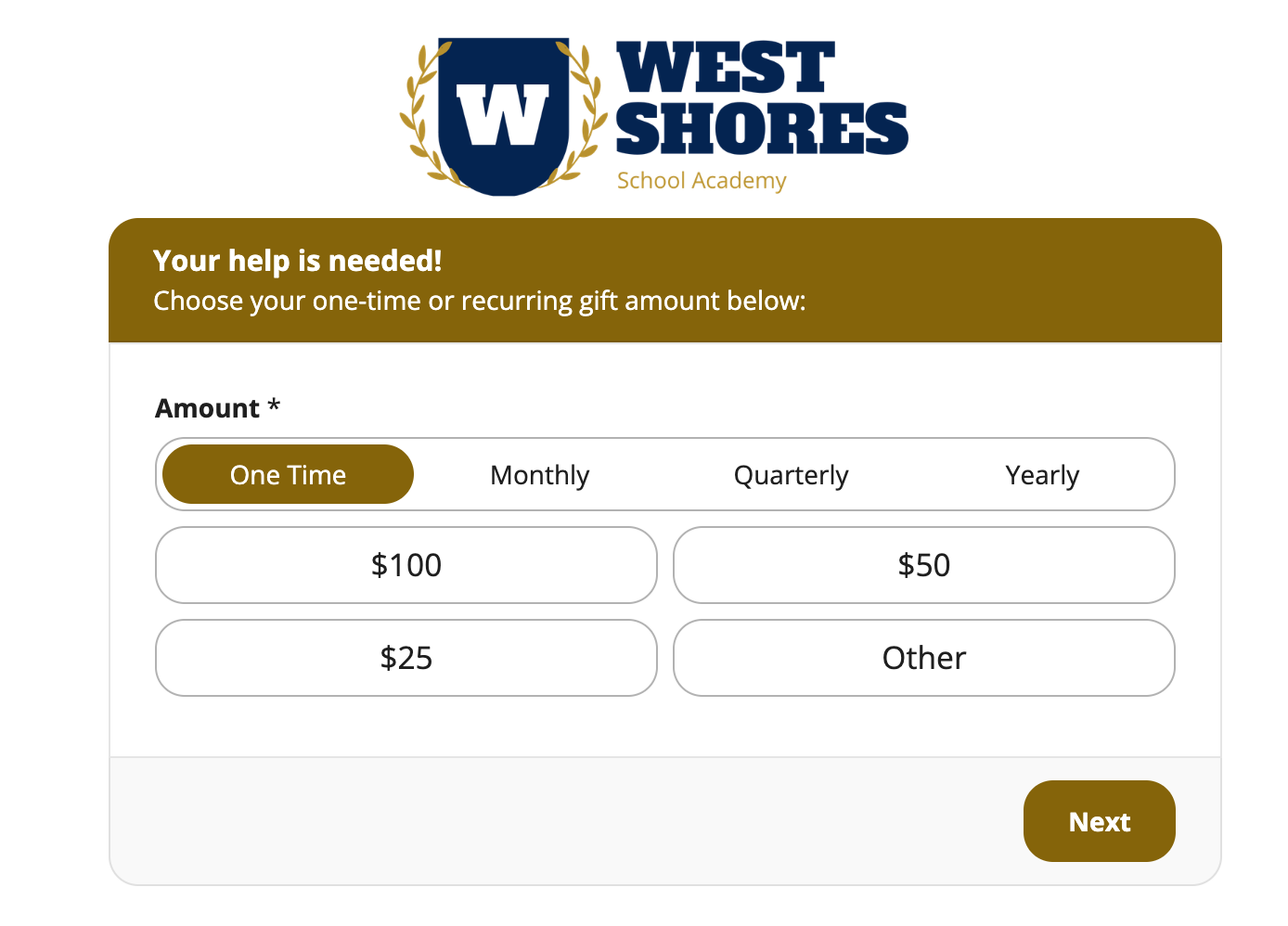
In this form, you can easily accept a one-time gift or give your donor the option to set up a recurring donation:
Donation form example
Tip: Head over to our knowledge base to learn how to create a form that accepts payments as well as how to create a donation form using our new donation widget with Enhanced Themes.
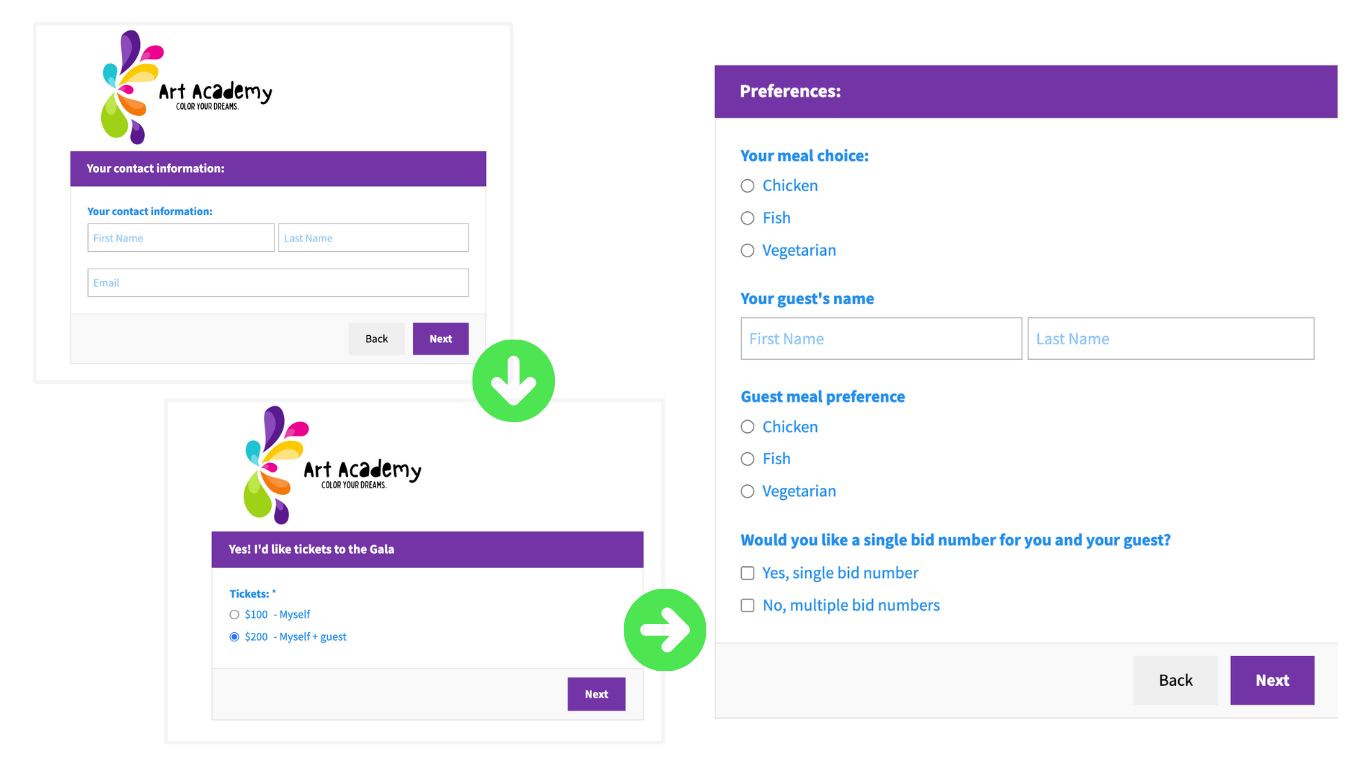
In this form, you can purchase a single ticket or multiple tickets to an event. If you choose the two-ticket option, the form can be set up to display additional fields to collect information about your guests:
Ticket order form example
Tip: You can get step-by-step directions on how to create an event in Little Green Light and map the data collected by an event registration form in our knowledge base.
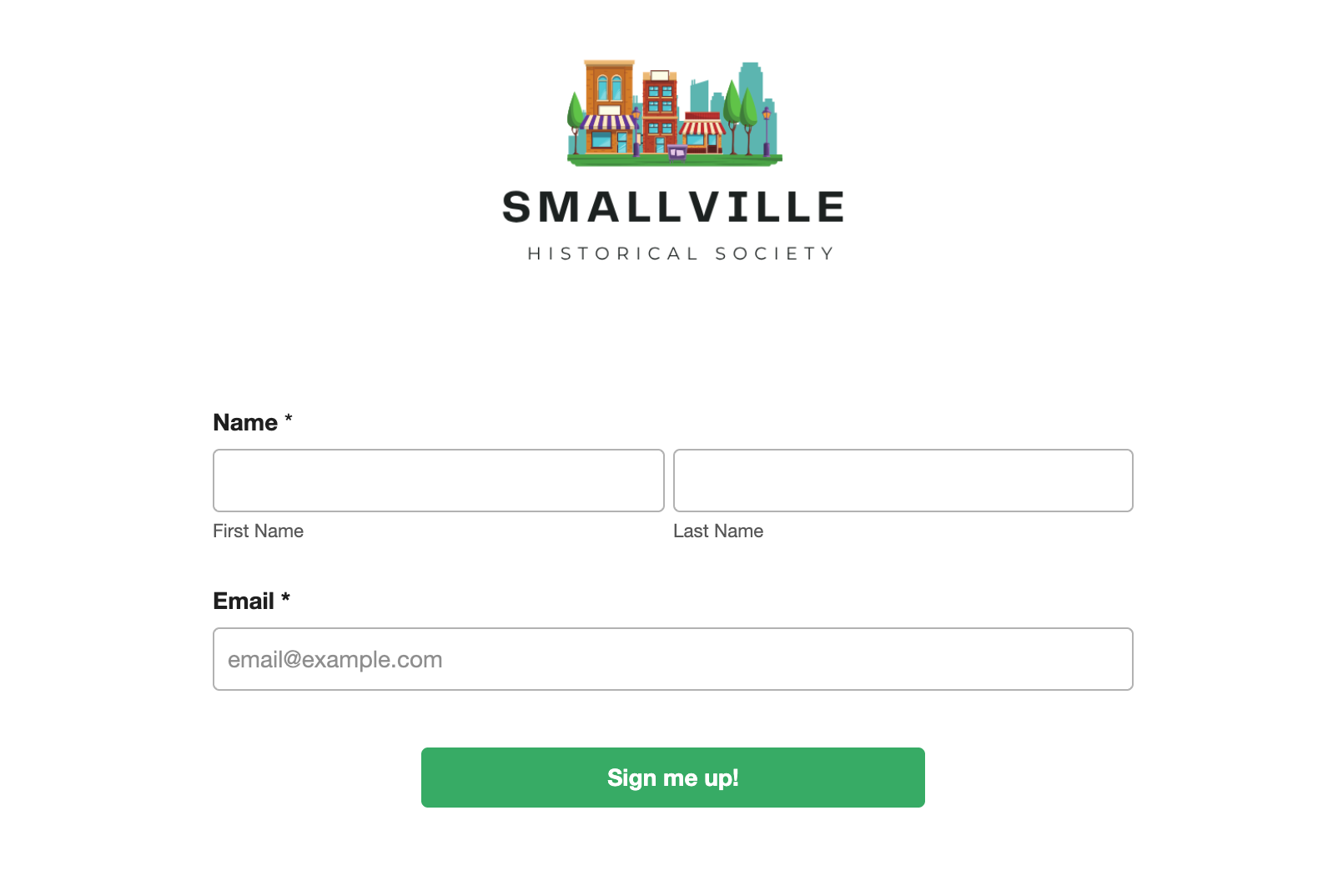
When you’re looking to grow your email subscriber list, offering an online email signup form can be a great time saver. The form can be published on your website or linked in a blog post, or you can even use a QR code that points to the form in your printed materials. Once the form is completed, data can be automatically synced to constituent records in LGL.
Email signup form example
Tip: Ensuring compliance with CAN-SPAM regulations is of key importance when sending emails. If you want to send marketing emails from LGL, you can do so, but we recommend always setting up an opt-out form.
Looking for ways to identify volunteers and match their interest with your organization’s needs? Creating a form like the one below can help you accomplish this.
Volunteer interest form example
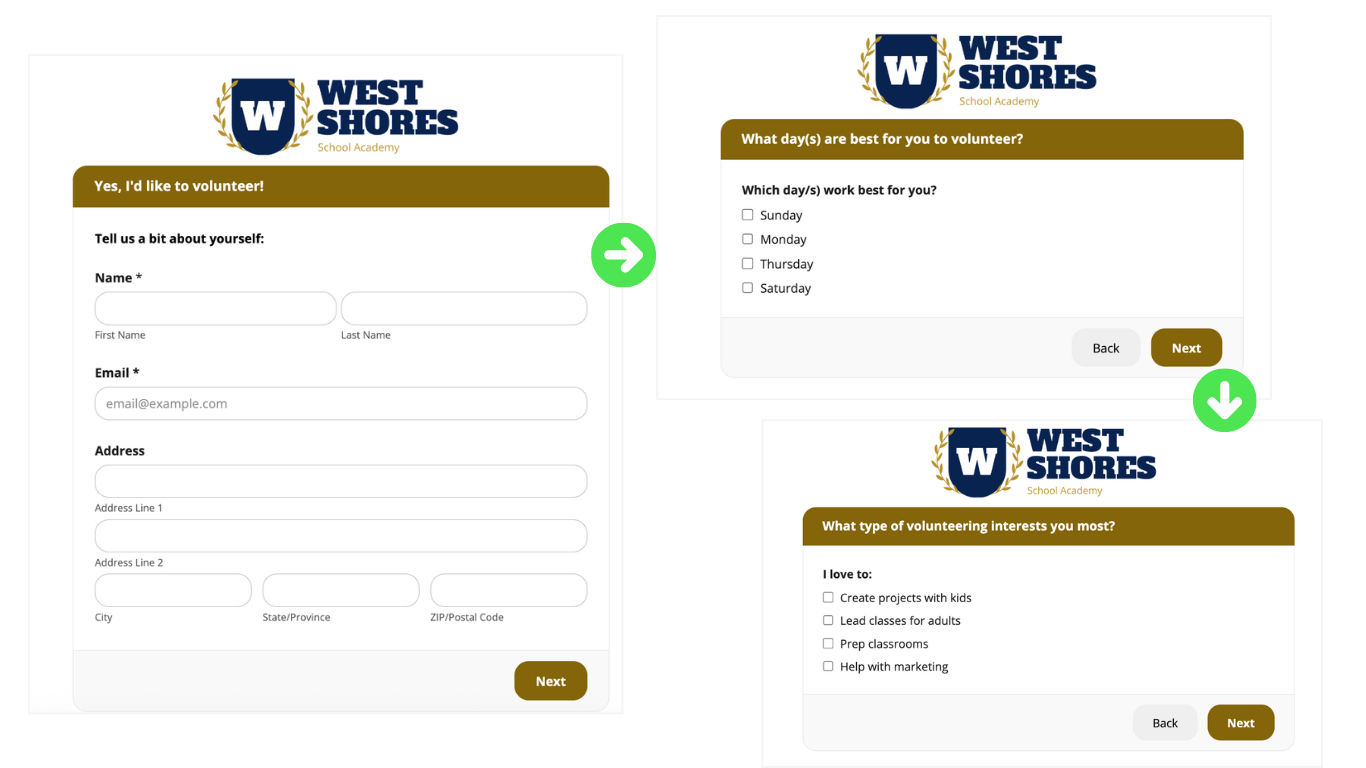
Tip: You can store the information collected via this form in LGL using custom constituent categories. These make it easy to find volunteers who have availability on a certain day of the week for a specific activity using a simple constituent search in LGL.
Learn more about how to do that, as well as map a volunteer interest form like the one above, in our knowledge base.
If your organization keeps track of the number of hours a volunteer serves but you struggle to keep up with manually tracking that info, it’s time to create an online form that the volunteer can fill out after their shift is completed.
Volunteer hours form example
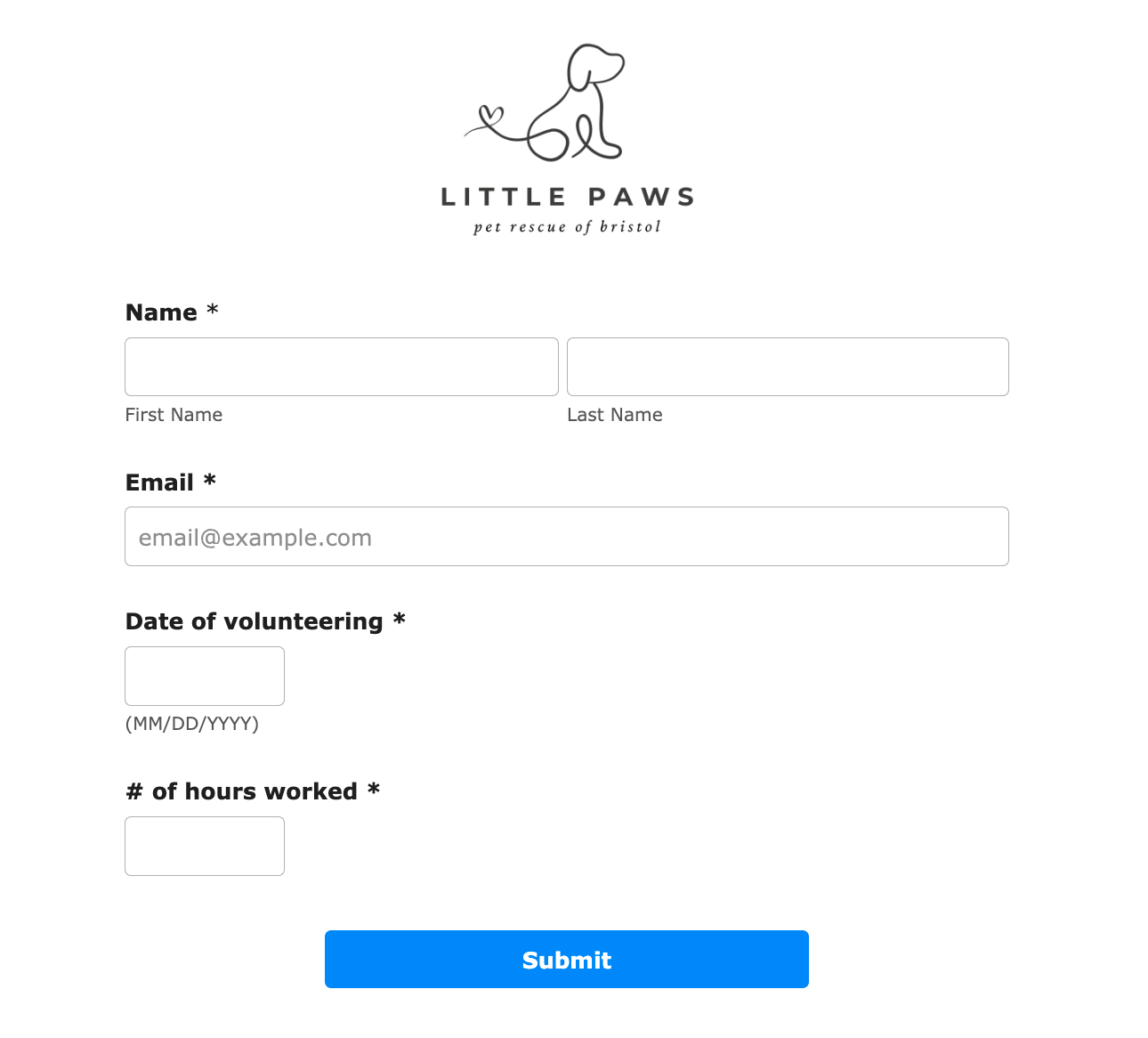
Tip: Follow the instructions in our knowledge base to map a volunteer hours form like this to your Little Green Light account.
It is possible to capture annual membership payments through an LGL form. The payments can be set up as either one-time or automated annual payments with multiple membership levels.
The images below show an example of a membership form that can collect three levels of a one-time membership.
Membership form example
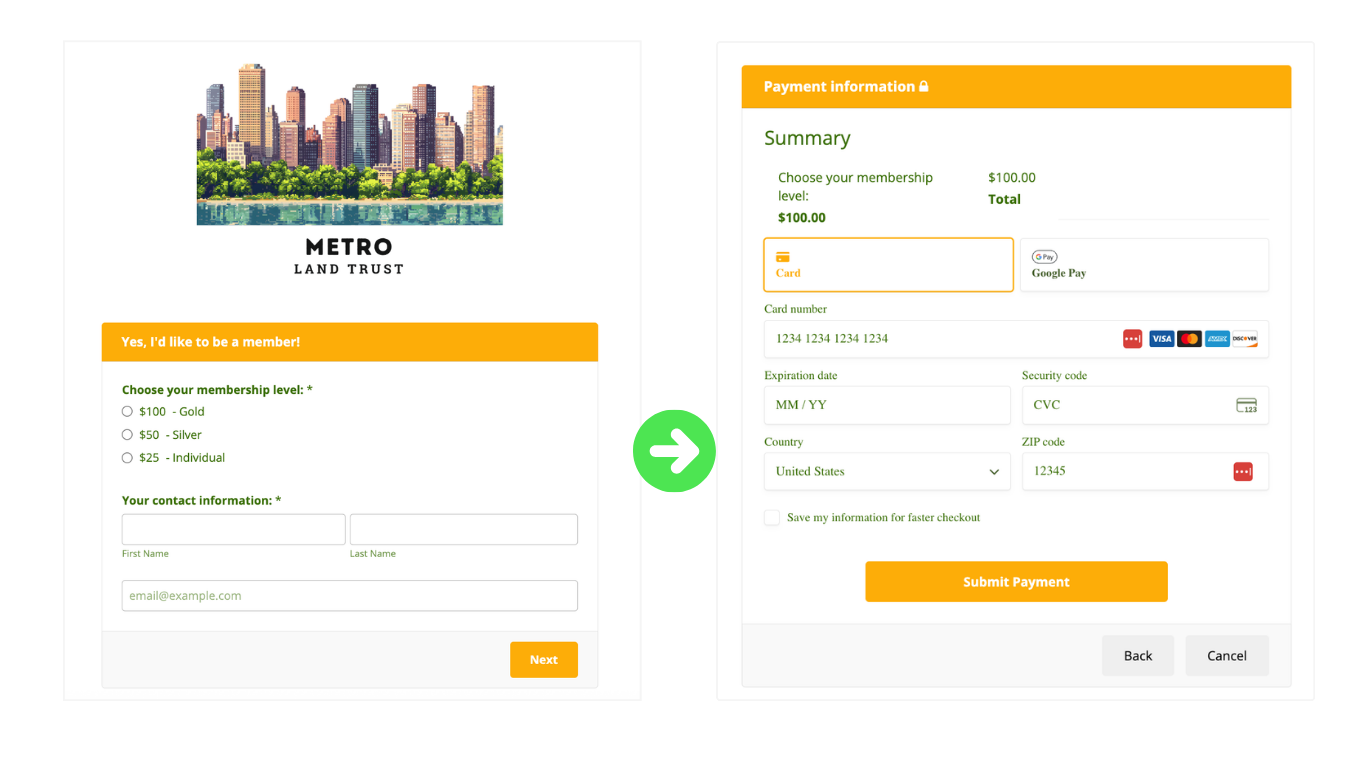
Tip: It is possible to create a renewable annual membership form by setting your form to accept recurring gifts. Learn how to create and map basic membership forms like the one above in our knowledge base.
Whether you want to create a form that allows reserving free tickets for a single event or for multiple sessions occurring on different dates, LGL Forms can help.
In this form, we offered four free sessions of bird watching. We were able to set how many tickets were available for each date, as well as limit how many free tickets could be requested.
Free event registration form example
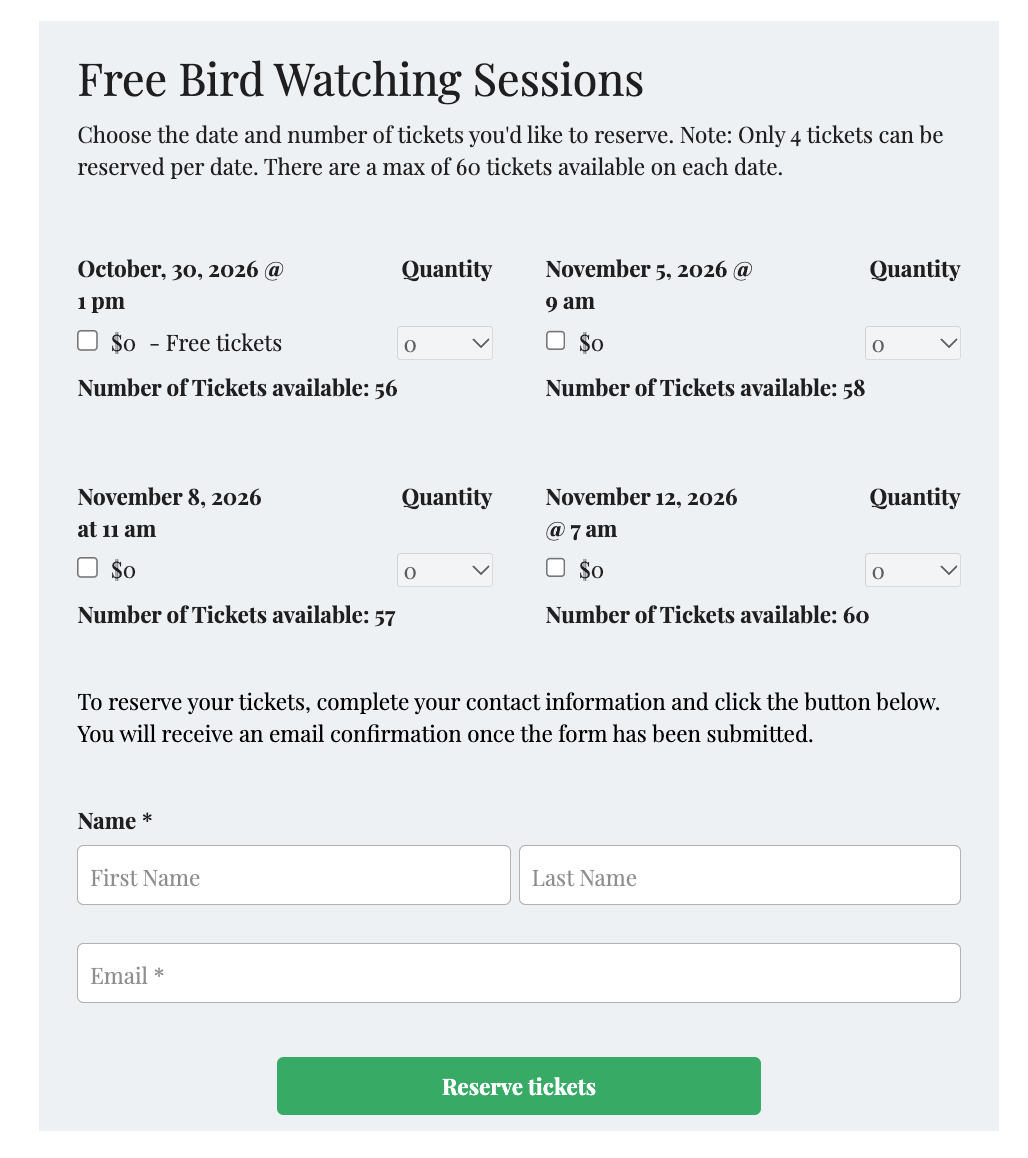
Tip: You can customize the built-in confirmation email template in LGL Forms to send a personalized receipt of the tickets reserved for the event. Get directions on using LGL Forms for offering free event registration as well as how to set up a confirmation email in our knowledge base.
One of our LGL Community members recently wrote in with a question about how to automate the process of getting contact reports that board members provide into LGL. Kristin Whipple, a member of the LGL Consultant Network, offered the suggestion of using an LGL form to document that interaction. Board members or others can be given access to the form, keep a copy on their phone, and quickly fill it out after a call or meeting. Once the form integration is set up, the contact reports will automatically show up in the constituent record.
Contact report form example
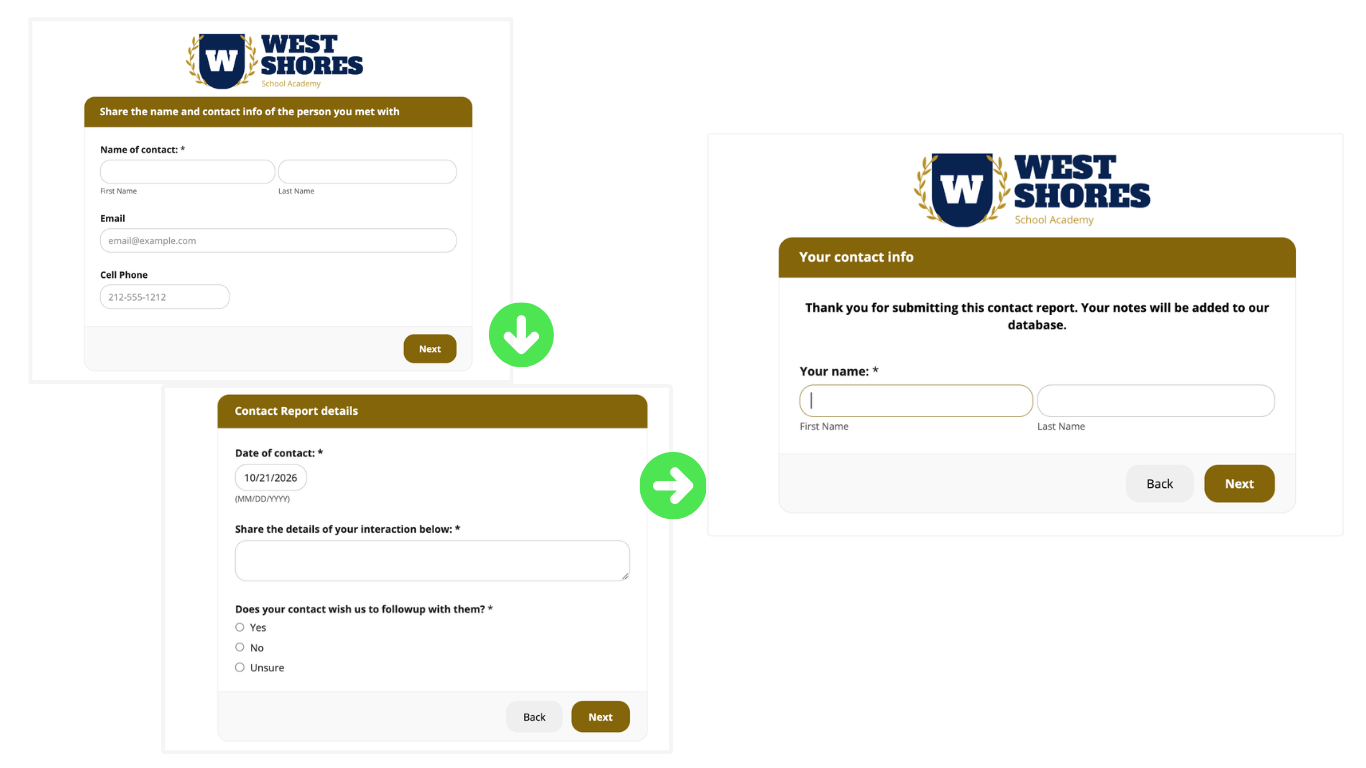
Tip: When you integrate a form to your LGL database, you can automatically set up additional fields by creating defaults. In the example above, you might want to set up a rule that creates a follow-up task in LGL based on the response to the question inquiring about follow-up.
Learn how to successfully sync contact reports to constituent records via a form in our knowledge base.
Planning on participating in GivingTuesday and want to create a donation form to accept one-time or recurring donations? Use our new 2026 GivingTuesday form template and quickly have it up and running on your website.
GivingTuesday form example
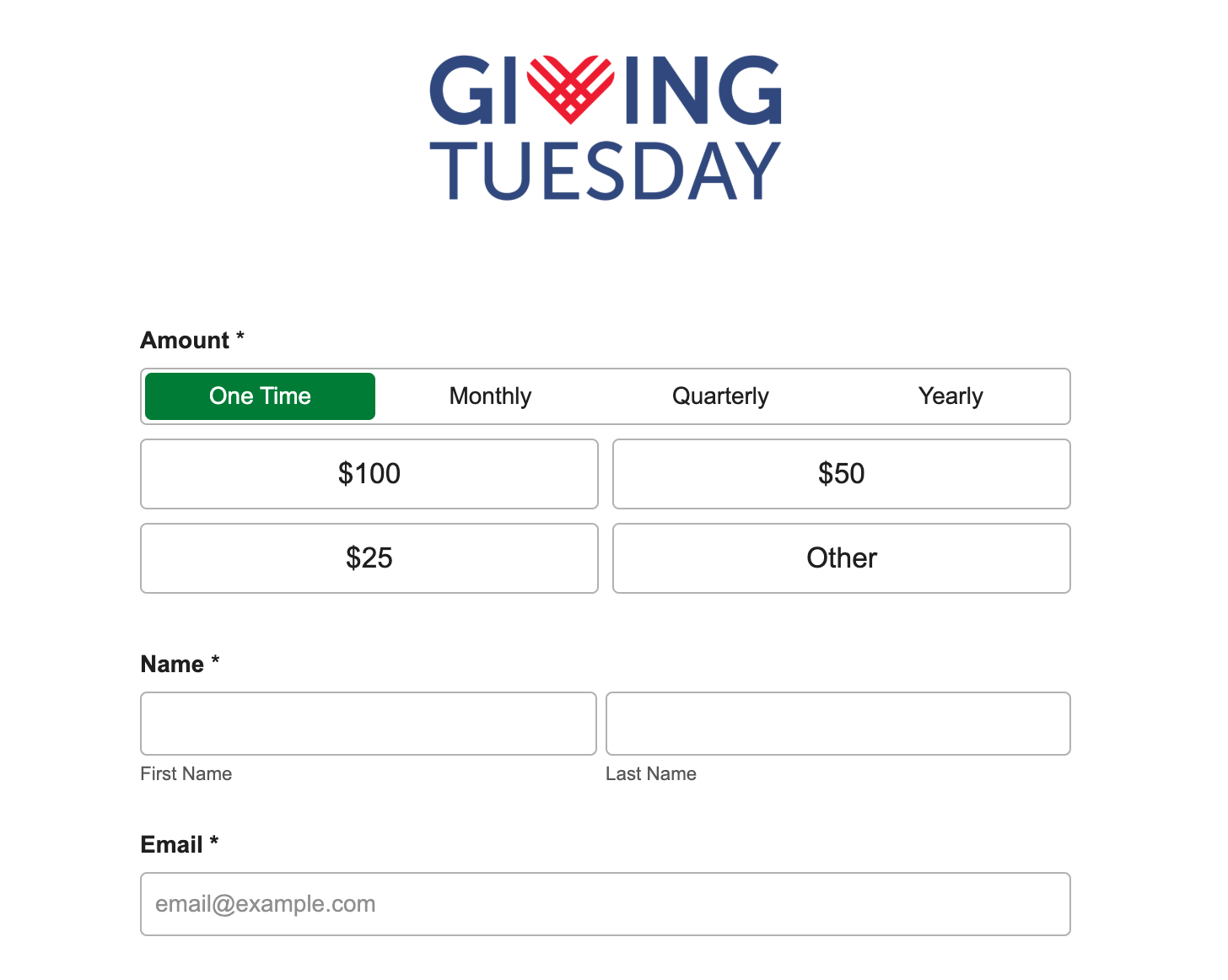
Tip: If you choose to use our new template, you can do so, just as is. We’ve added a GivingTuesday image and a simple design, created some default email confirmation options for you, as well as set up the mapping to make syncing the data to your LGL database even easier. But, of course, you always have the option to customize it as well!
To learn more about our new GivingTuesday form template and how to use it, read our updated knowledge base article.
It is possible to create a donation form to capture information about gifts that are made in honor or in memory of someone using LGL Tributes fields. Not only can you ask about whom the gift is being made in honor or in memory of, but you can also capture additional details like a dedication or a person to be notified.
Tribute gift donation form example
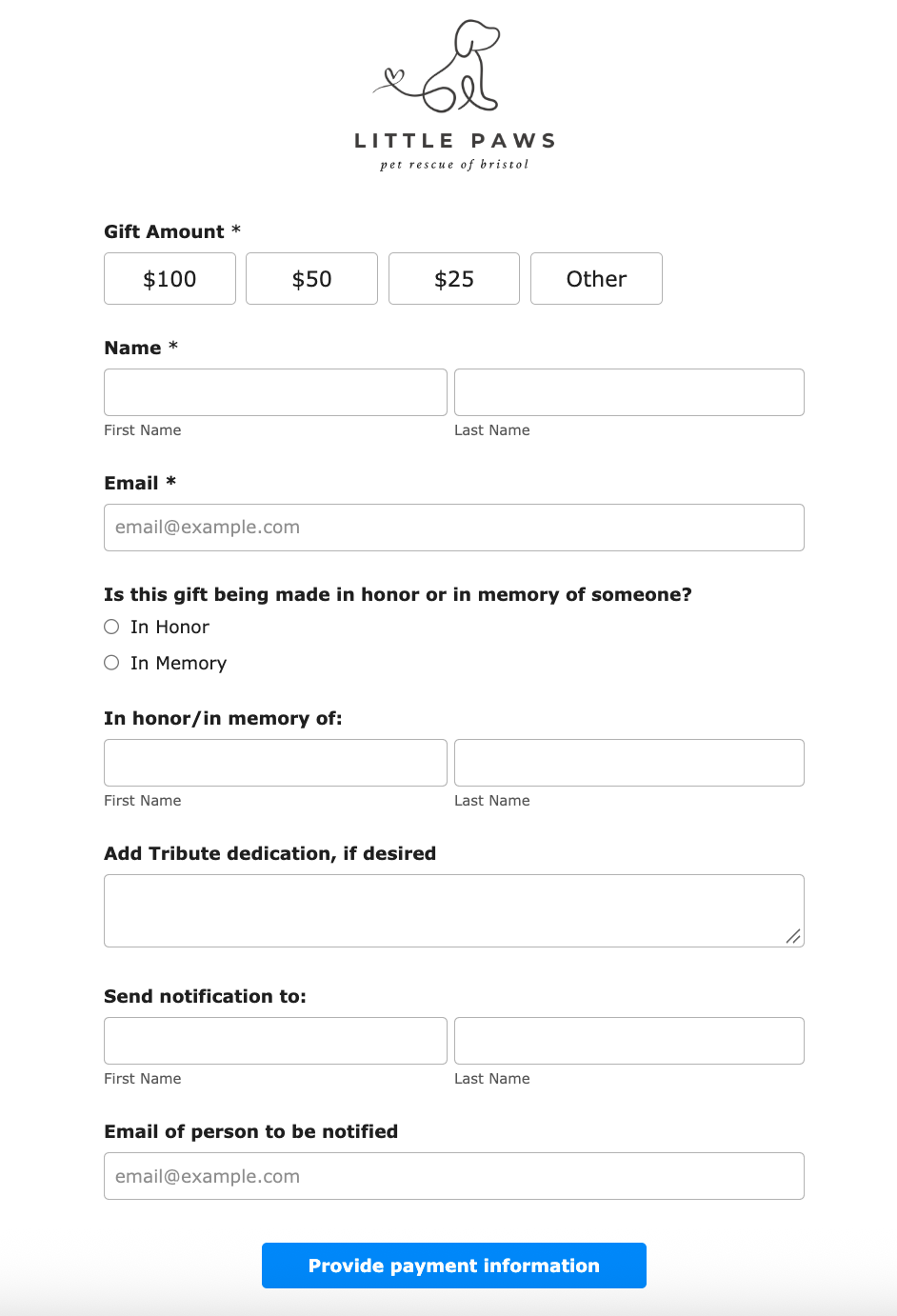
Tip: Get step-by-step instructions on creating a tribute gift form and mapping that form to your LGL account in our knowledge base.
Conclusion
There are so many ways you can use LGL Forms to automate data collection and payment processing. What’s included in this post is just a handful. We’d love to learn how you’ve used online forms to automate a once-manual process for your organization. Head over to our online community and tell us about it!

Ready to try LGL? Get your first 30 days free. No credit card required.